Florida Storm Season: How to Protect Your Appliances and Food During Power Outages
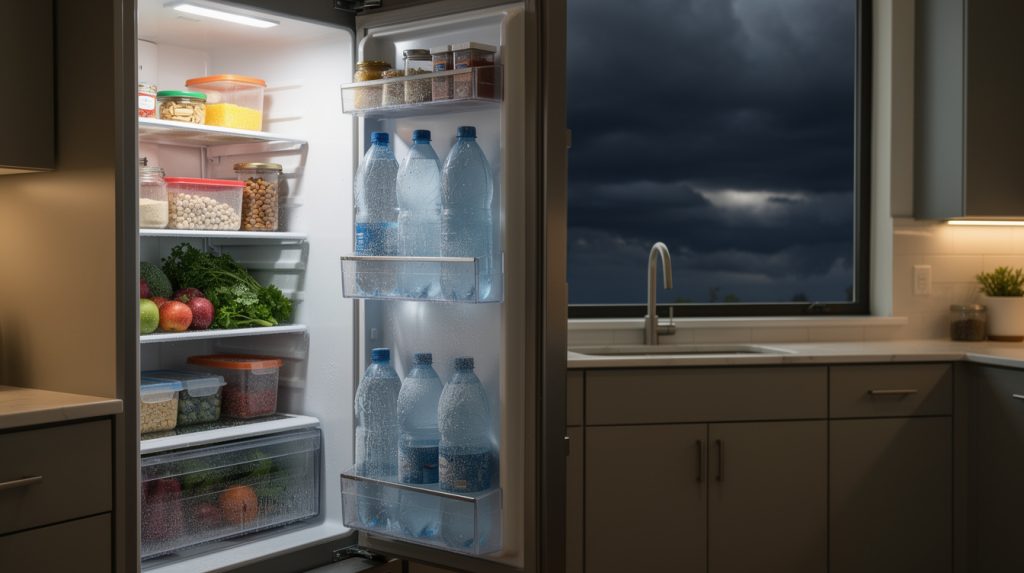
If you’ve lived in Florida through even one summer, you know the drill: the sky turns green-black at 4 PM, the thunder rolls in off the Gulf, and somewhere between the first lightning strike and the second, the power blinks — or drops entirely. June marks the start of both hurricane season and the daily thunderstorm season here in Tampa Bay, and that makes it the right time to talk about what storms and outages actually do to the appliances in your home, and how to protect the most vulnerable one of all: the refrigerator keeping a few hundred dollars of food cold.
This guide covers what to do before the power goes out, during the outage, and after it comes back — plus how to protect your washer, dryer, dishwasher, and oven from the power problems that storm season brings.
Before the Storm: A 30-Minute Preparation Routine
Turn Your Refrigerator and Freezer to Their Coldest Safe Settings
When a named storm is approaching or a severe outage seems likely, drop the fresh food section toward 34°F and make sure the freezer is at 0°F. Every degree of extra cold is time in the bank once the power fails. Do this 12–24 hours ahead so the temperature actually stabilizes — and if you’ve never checked whether your fridge holds its set temperature accurately, an inexpensive appliance thermometer is worth its weight in saved groceries.
Freeze Water Now
Fill freezer bags or containers about three-quarters full with water and freeze them in every spare corner of the freezer. A full freezer holds cold dramatically longer than an empty one — the frozen mass acts as thermal ballast. Bonus: those same blocks become clean drinking water as they melt, and they’re the secret weapon for the cooler if the outage outlasts the fridge.
The Quarter-on-a-Cup Trick
Freeze a cup of water solid, set a quarter on top of the ice, and leave it in the freezer. If you evacuate or lose power for an unknown stretch, the quarter tells the story when you return: still on top means the food never thawed; sunk to the bottom means everything melted and refroze — and needs to go. Simple, free, and it has settled a thousand “is this safe to eat?” debates.
Group Your Food Strategically
Cluster freezer items tightly together (cold things keep each other cold), move the most perishable fridge items — dairy, raw meat, leftovers — to the coldest zones (back and bottom, not the door), and get a cooler staged with those ice blocks for anything you’ll need to access frequently, so the main doors stay shut.
Consider Surge Protection — Seriously
Lightning is the appliance killer nobody budgets for, and Tampa Bay is the lightning capital of North America. Modern refrigerators, washers, dishwashers, and ovens are all run by electronic control boards, and a nearby strike or the surge that rides in when power returns can destroy a $300 board in a millisecond. Point-of-use surge protectors rated for major appliances are a modest investment; a whole-home surge protector installed at the panel is better still. We see a wave of fried control boards after every major storm — it’s the most preventable repair we do.
During the Outage: The Rules That Save Your Food
Rule One: Keep the Doors Closed
This is 90 percent of the game. An unopened refrigerator keeps food safely cold for about 4 hours. A full freezer holds for roughly 48 hours (24 if half full). Every door opening dumps the cold air and restarts the clock at a worse position. Decide what you need before you open, grab it fast, close it tight. Better yet, work out of the cooler you staged earlier.
Know the 40°F Line
Food safety lives and dies at 40°F. Once perishables — meat, dairy, eggs, cooked leftovers, cut produce — spend more than 2 hours above 40°F, they’re no longer safe, regardless of how they look or smell. This is where that appliance thermometer earns its keep: when power returns, it tells you facts instead of guesses.
Don’t Run the Disposal or Dishwasher on a Generator’s Edge
If you’re running essentials on a portable generator, give your refrigerator the slot and let the dishwasher, disposal, washer, and oven wait. Motor-driven appliances draw big startup surges that overloaded generators handle badly — brownout conditions are genuinely harder on appliance motors and boards than a clean outage.
After the Power Returns: The Checklist
Step 1: Check the Quarter, Then the Thermometer
- Quarter still on top of the ice, freezer at or below 0°F, fridge below 40°F: everything’s fine. Exhale.
- Freezer food still has ice crystals in it: safe to refreeze, though quality may dip slightly.
- Quarter sunk, or perishables above 40°F for more than 2 hours: when in doubt, throw it out. No dinner is worth a foodborne illness.
Step 2: Give the Refrigerator Time Before You Judge It
After a long outage, a refrigerator needs 4–8 hours to pull back down to temperature, and it’ll run constantly while it does — that’s normal recovery, not a malfunction. But if it’s still running nonstop and struggling a full day later, something may have been damaged. A compressor that took a surge hit, or start components weakened by repeated brownouts, often limp along for a few weeks before failing outright. Our guide to a refrigerator that runs but won’t cool covers the warning signs.
Step 3: Listen and Sniff Around Every Appliance
Surges leave fingerprints. Over the first days after a storm, pay attention to: clicking or buzzing from the refrigerator (failing start relay), error codes on the dishwasher, washer, or oven displays (board damage — our error code cheat sheet will help you decode them), a dishwasher or washer that won’t start at all, and any electrical smell. Many post-storm failures show up as electronics acting haunted: phantom beeps, dead buttons, displays resetting. A hard reset is always worth a try first — unplug for a full minute, restore power — and our guide on how to reset any appliance walks through each brand’s quirks.
Step 4: Restart Appliances One at a Time
When power returns after a major outage, voltage can wobble for the first minutes. Wait 10–15 minutes before restarting major appliances, then bring them back one at a time rather than all at once. If you shut breakers off during the storm (smart move during direct hits), restore them individually with a few minutes between.
Storm Season Habits Worth Building
- Photograph your fridge and freezer contents at the start of hurricane season. If a prolonged outage wipes out the food, many homeowner’s policies cover spoilage — the photos make the claim painless.
- Keep two appliance thermometers (fridge and freezer) year-round. They cost a few dollars and remove all guesswork, storm or no storm.
- Clean your refrigerator’s condenser coils before peak season. A fridge with clean coils recovers from an outage dramatically faster — and runs cheaper all summer. Fifteen minutes, big payoff: our condenser coil cleaning guide shows you how.
- Check the door gaskets while you’re at it. A tight seal is exactly what holds cold during an outage. Dollar bill test, two minutes per door.
- Know your outage history. Homes in Hudson, Shady Hills, Dade City, and Zephyrhills on more rural feeders often see longer restoration times than central Tampa — plan your freezer strategy accordingly.
What About the Other Appliances?
The refrigerator gets the headlines, but a quick rundown of the rest:
- Washing machine: if it lost power mid-cycle, expect it to hold a door lock until power returns; most resume or allow a drain/spin cycle. Don’t force the door. If flooding is ever a risk in your laundry area during storms, our washer flooding prevention guide is worth a read.
- Dryer: restart the load promptly — damp clothes sitting in a warm drum in Florida humidity grow mildew fast.
- Dishwasher: mid-cycle interruptions usually resume cleanly. If it won’t restart, try the hard reset before assuming damage.
- Oven: electric ovens with electronic controls are surge-sensitive; if the display is dead or erratic after a storm, check the breaker first, then suspect the board.
When the Storm Wins a Round
Sometimes, despite good preparation, an appliance comes out of storm season wounded — a fridge that never quite recovers, a washer with a dead board, an oven display flashing nonsense. That’s where we come in. SkyBreeze Appliance Repair handles post-storm diagnostics and repairs for refrigerators, washers, dryers, dishwashers, ovens, and garbage disposals across Tampa, Wesley Chapel, Lutz, Land O’ Lakes, Shady Hills, Hudson, Dade City, Zephyrhills, and The Villages. We know exactly what lightning and brownouts do to each brand’s electronics, and we’ll give you a straight answer on whether it’s a repair or an insurance conversation.
Florida storm season is non-negotiable. Spoiled food and fried appliances mostly are. A half hour of preparation in June buys a lot of calm in August.