Washing Machine Stops Mid-Cycle? 9 Causes and How to Fix Them
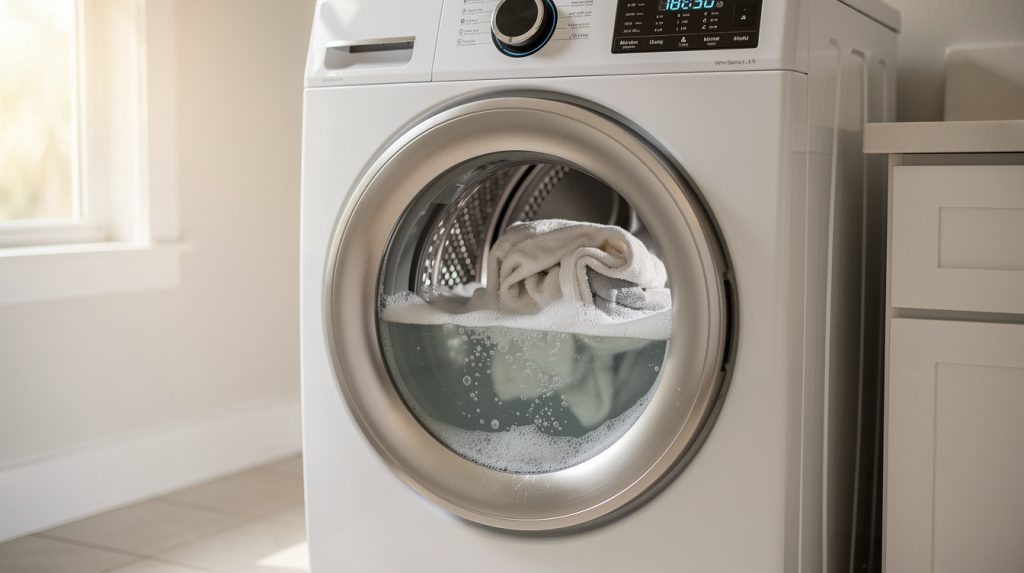
You toss in a load of towels, hit start, and go about your afternoon. Forty minutes later you come back to a machine sitting silent, full of soapy water, with the display frozen or blinking at you. A washer that stops mid-cycle is one of the most common calls we get across Tampa, Wesley Chapel, and Land O’ Lakes, and the good news is that most of the causes are easy to narrow down once you know what to look for.
The trick is to pay attention to where in the cycle the machine quits. A washer that stops while filling has a very different problem from one that stops right before the spin. Below we walk through nine causes, roughly in the order a technician would check them, along with what you can safely test yourself and what should wait for a pro. This applies to top-load and front-load electric washers alike. You will be working around water and electricity, so unplug the machine before you open any panel.
First, Notice Where the Cycle Stops
Every wash cycle moves through the same stages: fill, wash, drain, rinse, and spin. Modern machines check sensors between each stage, and if a reading is off, the control board pauses the cycle rather than pushing forward and flooding your laundry room. That pause is what you see as “stopped,” and the stage tells you a lot:
- Stops during fill: Usually a water supply issue. Think inlet valve, water pressure, or the pressure switch that measures water level.
- Stops during wash or agitation: Often a lid switch or door lock, a motor overheating, or a drive problem.
- Stops before or during drain: Almost always a drain pump clog or a failing pump.
- Stops before spin, tub still full: Look at the drain first, then the lid switch, then load balance.
- Stops at random points with no pattern: Power supply, a weak control board, or a loose wiring connection.
If you can tell a technician “it fills fine, agitates for a few minutes, then stops before draining,” you have already saved them fifteen minutes of diagnosis.
1. An Unbalanced Load or Worn Suspension
This is the number one cause of a washer stopping right before spin, especially on top-load machines. When the load shifts to one side of the tub, the machine senses the imbalance and refuses to spin at high speed. Many models will try to redistribute the load by sloshing it back and forth a few times, then give up and stop with the tub full. Some display “UL,” “UE,” or “Ub” while they do it.
The fix is to open the lid, spread the clothes out evenly, and restart at the rinse or spin stage. Single heavy items like a bath mat, a comforter, or one pair of wet jeans are the usual culprits. Wash them with a couple of towels to balance the weight.
If your washer stops for balance problems even with a normal load, the suspension is likely worn. Top-loaders use four suspension rods with dampers; front-loaders use shock absorbers and springs. In Florida’s humidity these parts corrode and lose their dampening over eight to twelve years, and once they go soft the tub swings at the slightest imbalance. If your machine also walks or bangs during spin, our guide on why washing machines shake and vibrate covers this in depth. A set of suspension rods runs $40 to $80 in parts and is a moderate DIY job on many top-loaders. Front-load shocks are usually a pro repair.
2. A Clogged or Failing Drain Pump
If your washer stops with the tub full and never drains, look at the drain system first. The machine cannot spin until the water is gone, and if the pump cannot clear the tub within a set time, the cycle halts, often with an “OE,” “nd,” or “E21” code.
Start with the easy stuff. Check that the drain hose is not kinked behind the machine or pushed too far down the standpipe. Then find the drain pump filter. On most front-loaders it sits behind a small door at the bottom front. Put down towels and a shallow pan, because a full tub’s worth of water is about to come out. Unscrew the filter and you will very likely find the reason: coins, hair ties, a sock, bobby pins, or a matted wad of lint and pet hair. Clean it, screw it back in, and run a drain and spin cycle.
If the filter and hose are clear but you hear the pump humming without moving water, the impeller may be broken or the pump motor dying. A replacement drain pump is typically $30 to $70 for the part, or $150 to $275 installed by a technician. We have a full walkthrough on why a washing machine won’t drain if you want to go deeper.
3. Water Inlet Valve or Pressure Switch Problems
When a washer stops during fill, it is waiting for water that never arrives, or it never gets confirmation that the tub reached the right level. Two components are responsible.
The water inlet valve
This is the pair of electric solenoid valves at the back of the machine where the hot and cold hoses connect. Each has a small mesh screen that catches sediment. In areas with hard, mineral-heavy water like Zephyrhills and Dade City, those screens plug up over time and the fill slows to a trickle. The machine times out and stops. Shut off the supply valves, disconnect the hoses, and clean the screens with a soft brush. If the screens are clean but one side of the valve never opens, the solenoid has failed. A new valve assembly is $25 to $60. Our article on a washing machine that won’t fill with water walks through testing this step by step.
The pressure switch and air hose
The pressure switch tells the control board how much water is in the tub, using a small air tube that runs from the bottom of the tub up to the switch. If that tube slips off, cracks, or gets gunked up with detergent residue, the switch never sees the correct pressure and the machine stops short during fill. Reseating the tube and blowing it clear fixes many of these. A failed switch itself costs $20 to $50.
Also check household water pressure. If the machine is on a well in Shady Hills or Hudson and the pump or pressure tank is struggling, the washer may not get the flow rate it expects. See whether the nearest bathroom faucet runs strong.
4. A Faulty Lid Switch or Door Lock
Every washer has a safety interlock. Top-loaders use a lid switch, usually a small plastic plunger or a magnetic sensor under the lid. Front-loaders use an electric door lock that latches the door and signals the control board that it is safe to run. If that signal drops out mid-cycle, the machine stops immediately, often at the transition into agitation or spin because those are the stages where the interlock is re-checked.
Symptoms include a washer that fills but never agitates, a front-loader that shows “dL,” “dE,” or “F5E2,” or a machine that runs only if you press down on the lid. Lid switches are $15 to $40 and often a twenty-minute swap with the top of the cabinet lifted. Front-load door lock assemblies run $40 to $90 and are fussier because you have to remove the door boot spring clamp to reach the mounting screws.
One thing to watch for in humid Florida garages: door lock contacts can corrode even when the mechanical latch works fine. The door locks, but the board does not get a clean signal, and the cycle quits anyway.
5. The Motor Is Overheating
Washer motors have a built-in thermal overload protector. When the motor gets too hot, the protector opens and the motor stops until it cools, usually fifteen to thirty minutes. The cycle freezes, and then, mysteriously, if you come back later and hit start, the machine runs for a while before quitting again. That start-stop-cool-restart pattern is the giveaway. Common triggers include:
- Chronic overloading
- A worn drive belt slipping and generating heat
- A failing motor coupler or clutch on direct-drive top-loaders
- Seized tub bearings that make the drum hard to turn
- Poor ventilation, like a washer crammed into a hot, closed laundry closet in August
If the machine smells hot or rubbery when it stops, that points to a belt or coupler. If it makes a grinding, roaring sound during spin, bearings are the likelier culprit. Motor and bearing jobs are firmly in the call-a-pro category. If the machine is over ten years old and needs bearings, read our repair vs. replace cost guide before spending several hundred dollars.
6. Control Board or Timer Failure
On an older mechanical washer, the cycle is driven by a timer, a little motor turning a set of cams that open and close contacts as the cycle progresses. When those contacts wear or the timer motor gets weak, the machine stalls at one spot. If your dial stops advancing and you can nudge it forward by hand to get things going again, the timer is almost certainly the issue. Timers cost $60 to $150 and are a reasonable DIY swap if you label the wires carefully.
On modern electronic washers, the main control board does the same job with software. Boards fail in a few characteristic ways: relays that burn out so a single function like drain or spin never gets power, solder joints that crack from years of vibration, or capacitors that dry out in the heat. A board fault often shows up as random stops, a display that freezes or reboots, or error codes that come and go. Boards are the priciest common part, often $150 to $350 plus labor. Before anyone replaces one, every cheaper cause on this list should be ruled out, because a bad pump or lock will happily produce board-like symptoms.
7. Power Flickers and Florida Storm Brownouts
This one is easy to overlook and extremely common from June through October. Afternoon thunderstorms in the Tampa Bay area cause brief voltage dips. Your lights barely blink, but a sensitive control board sees the dip, interprets it as a power loss, and aborts the cycle. You come back to a washer that is either dark or sitting in a blank “paused” state with water inside.
If your washer only quits on stormy afternoons, or right after the air conditioner kicks on, brownouts are your answer. Some things that help:
- Plug the washer into a dedicated outlet rather than sharing a circuit with the dryer or a chest freezer.
- Have an electrician check the outlet for loose connections. A plug that wiggles is a plug that flickers.
- Add a surge protector rated for appliances. It will not fix brownouts, but it will save the board from the spike that often follows an outage.
- Do not run the washer during an active lightning storm if you can help it.
Our post on protecting your appliances during Florida storm season has more on riding out outages safely. And if the machine will not power on at all afterward, our guide on washing machines with no power covers the fuses, line filters, and boards that give out after a surge.
8. Reading the Error Code
If your washer has a digital display, it is trying to tell you something. Codes are not universal, but there are patterns across the major brands, and knowing them turns a mystery into a specific part to check:
- OE / nd / F9E1 / E21: Drain problem. Water did not leave the tub in time. Check the pump filter and hose.
- UE / UL / Ub / F0E3: Unbalanced load. Redistribute and retry; if it repeats, suspect suspension.
- IE / nF / F8E1 / E11: Fill problem. Water did not reach level in time. Check supply valves, inlet screens, and pressure.
- dL / dE / F5E2 / E41: Door lock or lid switch fault.
- LE / F7E1 / E5x codes: Motor or motor control fault. Often overheating or a locked rotor.
- PF / F1 / E01: Power failure or main board communication error.
Write the code down exactly as it appears before you clear it, then look it up in the manual or in our appliance error code cheat sheet. If the display shows nothing but the cycle stopped, most machines have a hidden diagnostic mode you can enter with a button combination. A quick search for your model number plus “diagnostic mode” will show it, and it often reveals the last stored fault.
9. It Just Needs a Reset
Modern washers are computers with a drum attached, and like any computer, they occasionally get stuck in a bad state. A momentary glitch, a brownout, or a sensor reading just outside the expected window can leave the board confused. Before you replace a single part, do a proper reset:
- Press and hold the power or start button to cancel the current cycle.
- Unplug the washer, or flip the breaker if the plug is hard to reach. Wait a full two minutes so the board’s capacitors drain and it truly restarts.
- Plug it back in. On many top-loaders, lift and close the lid six times within twelve seconds to clear the fault memory. Some front-loaders use a button combination instead.
- Run a short rinse and spin cycle with the tub empty and watch what it does.
Every brand has its own quirks, and our guide to resetting any appliance lists the specific sequences. If the reset gets you through one cycle and then the problem returns, you have confirmed a hardware fault rather than a glitch.
DIY or Call a Pro?
Everything below can be handled by a reasonably handy homeowner with a screwdriver, a flashlight, and the willingness to mop up some water:
- Redistributing an unbalanced load
- Cleaning the drain pump filter and checking the drain hose
- Cleaning inlet valve screens
- Reseating a slipped pressure switch tube
- Running a reset and reading error codes
- Replacing a top-load lid switch, if you are comfortable with basic wiring
These jobs are better left to a technician:
- Drain pump replacement on a front-loader
- Door lock assemblies
- Anything involving the motor, belt, coupler, clutch, or bearings
- Control boards and timers, mostly because misdiagnosing them is expensive
- Any repair where you found scorch marks, melted plastic, or a burnt smell at an electrical connection
A service call in the Tampa area usually starts with a $75 to $120 diagnostic fee that is applied toward the repair. For a washer under ten years old with a clear single-part fault, repair almost always beats replacement. If yours is stopping mid-cycle and you would rather not spend a Saturday on it, SkyBreeze Appliance Repair handles washing machine repair from Tampa and Lutz up to The Villages, and we carry the common pumps, locks, and switches on the truck so most jobs are finished in one visit.
Habits That Keep the Cycle Running
Most mid-cycle stops trace back to a handful of things that pile up over months. A few small habits go a long way:
- Empty pockets and use mesh bags. Coins, bobby pins, and loose socks are the top three items we pull out of drain pumps.
- Clean the pump filter every month or two. Five minutes, and it prevents the single most common stop.
- Do not overload. The drum should be about three-quarters full. Overloading strains the motor and suspension and causes balance stops.
- Use the right detergent, in the right amount. Too much suds confuses the pressure switch and gums up the air tube. High-efficiency machines need HE detergent, and less than you think.
- Run a monthly cleaning cycle. Detergent residue and mineral scale build up fast here. Our article on how Florida’s hard water damages appliances explains why a cleaning tablet or a cup of citric acid once a month matters more here than in most of the country.
- Keep it level and give it air. Check the feet with a bubble level once a year, and do not box the machine into a closet with zero airflow.
- Replace inlet hoses every five years, and clean the screens while you are back there.
For a fuller checklist, see our complete guide to maintaining your washing machine. A washer that gets this kind of basic care will usually run its full twelve to fourteen years. And if it does stop anyway, note the stage, note the code, try the reset, check the filter. Nine times out of ten, that sequence gets you back to clean laundry, or at least tells you exactly what to say when you make the call.
Related Articles
- Why Your Washing Machine Won’t Drain (And How to Fix It)
- Why Your Washing Machine Won’t Spin: 6 Common Causes and Quick Fixes
- Why Is Your Washing Machine Shaking and Vibrating So Much?
- The Ultimate Cheat Sheet for Appliance Error Codes: What They Mean and What to Do
- How to Reset Any Appliance: A Homeowner’s Quick Reference Guide