Oven Making Noise? What Buzzing, Clicking, and Humming Really Mean
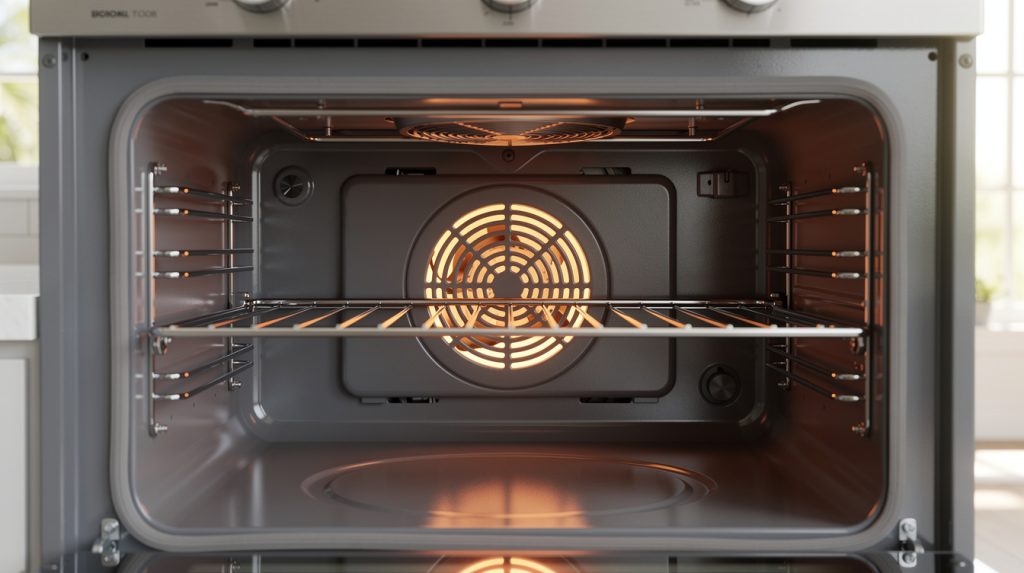
Ovens are supposed to be the quiet ones in the kitchen. The dishwasher sloshes, the fridge hums, and the oven just sits there getting hot without much fuss. So when yours starts clicking every few seconds, buzzing like an angry wasp, or running a fan long after dinner is over, it grabs your attention. The tricky part is that some of those sounds are completely normal, and some are your oven’s way of asking for help before something more expensive fails.
This guide walks through the noises we hear about most from homeowners around Tampa, Wesley Chapel, and Zephyrhills, sound by sound: what usually causes each one, whether it’s normal or a warning, and what a fix tends to cost. One note before we start: this article covers electric ovens and ranges only, since noises on a gas range can involve igniters and gas valves, and that work belongs to a licensed gas technician.
And a safety reminder for every section below: before you pull an oven away from the wall, remove a panel, or touch any wiring, shut off the breaker and unplug it if you can reach the cord. An electric oven runs on a 240-volt circuit, and that is not something to tangle with while the power is live.
First, Get to Know the Sounds a Healthy Oven Makes
Modern electric ovens are noisier than the ones many of us grew up with, and that is by design. A properly working oven makes these sounds during a normal session:
- A soft click as it starts heating and as it cycles. That is a relay on the control board switching the element on and off to hold temperature. Expect one every minute or two.
- A steady whir from the convection fan in convection mode. It should sound smooth and even.
- A quieter fan behind the control panel. Most ovens built in the last 15 years have a cooling fan that protects the electronics, and it often runs 10 to 30 minutes after shutoff.
- Light ticking or popping as the liner, racks, and elements expand and contract.
- A faint transformer buzz on ovens with a large display. You should have to lean in to hear it.
If what you’re hearing fits those descriptions and the oven cooks evenly, go enjoy dinner. If the sound has changed recently, is louder than it used to be, or comes with uneven baking or a flickering display, keep reading.
Clicking: Normal Relay Cycles vs. a Failing Relay Board
What a normal click sounds like
A healthy relay makes one clean click when it closes and one when it opens. During preheat you might hear one at the start, then nothing until the oven reaches temperature. After that it settles into a rhythm: click on, a minute or two of heating, click off, a pause, click on again.
When clicking means trouble
Rapid clicking is the sound to worry about. If the oven chatters or clicks constantly without ever holding a temperature, you are usually looking at one of these:
- A worn relay on the control board. After thousands of cycles the relay contacts pit and stick, and a relay that can’t hold closed will chatter as it tries to engage. Older ranges in Dade City and Zephyrhills homes, where the oven may be 15 or 20 years old, are prime candidates.
- A failing temperature sensor. The sensor is a thin probe in the back corner of the cavity. If it drifts out of range, the control board gets confused readings and toggles the element far more often than it should. A tech checks it with a multimeter; most brands read close to 1,080 ohms at room temperature.
- Unstable voltage. A loose connection at the outlet, a tired breaker, or a voltage sag during a Florida afternoon thunderstorm can cause chatter that looks like a board problem but isn’t. If the clicking started right after a storm, read our guide on protecting appliances during Florida storm season before you blame the oven.
- A shorted element. A cracked bake or broil element can pull too much current and make the relay drop out repeatedly. Look for a blister, a bright spot, or a break in the coil.
A replacement temperature sensor is one of the cheaper oven fixes, usually $120 to $220 installed. A relay or main control board runs $250 to $550 depending on the brand. Because the sensor and the board produce nearly identical symptoms, a good technician tests the sensor before recommending the board. If the clicking comes with an oven that won’t heat at all, start with our walkthrough on what to check when your oven won’t turn on.
Buzzing and Humming: Fans, Elements, and Transformers
Buzzing has the most possible sources, so it helps to narrow it down by when it happens.
Buzzing only in convection mode
That points to the convection fan motor. When its bearings wear, the fan develops a low drone that gets louder with heat. A motor replacement usually falls in the $200 to $400 range.
Buzzing from behind the control panel during any high-heat cooking
That is most likely the cooling fan, which lives behind the clock and buttons and pulls room air across the electronics. Grease and humidity gum it up over time, and in homes near the coast in Hudson and Shady Hills we see salt-air corrosion on the shaft that makes it hum and vibrate. A cooling fan is a modest repair, typically $180 to $320, but not one to ignore. If it seizes, the control board overheats and the bill gets much larger.
A buzz that rises and falls with the heating cycle
A loose bake or broil element can vibrate against its bracket when current flows through it. The buzz starts when the relay clicks on and stops when it clicks off. With the power off and the oven cool, see if the element wiggles where it enters the back wall. Two screws usually hold it, and tightening them often ends the noise. If the element looks damaged, replace it. Elements are $40 to $120 in parts, and swapping one is a beginner-friendly job.
A constant hum whenever the oven is on, even when nothing is heating
That is usually a transformer or the display’s power supply. A loud transformer buzz often means the laminations inside have loosened, or the board it feeds is drawing more current than it should. This is a control-board-level diagnosis, where a technician’s meter matters more than your ear.
Buzzing on a range that also bakes unevenly is a useful clue, since a convection fan that isn’t moving air properly leaves hot and cold spots. We cover that connection in why your oven heats unevenly.
Rattling: The Easy Ones (Usually)
Rattling is the noise most likely to have a five-minute fix, so check these before you worry.
- Oven racks. A rack that isn’t fully seated on its rails will rattle every time the convection fan kicks on. Pull each rack out and reseat it. Racks bowed from years of heavy pans can be replaced for $30 to $80 each.
- A loose fan blade. The convection blade is held on with a single nut. If it works loose, the blade wobbles against its housing. With the breaker off, remove the rear cover inside the oven and tighten it. If the blade is bent, replace it; an unbalanced blade destroys motor bearings.
- Back panel or anti-tip bracket. A loose sheet-metal panel will buzz when the cooling fan runs. Press on the panels while the fan is running and see if the noise changes.
- Something in the drawer. A broiler pan in the storage drawer will rattle once the fan gets going. More than one service call has ended with a tech lifting out a muffin tin.
Popping and Ticking: Almost Always Just Metal Being Metal
An oven liner is a big sheet of enameled steel, and steel grows as it heats. The liner, racks, elements, and door glass expand at slightly different rates, and when one piece slips against another you hear a ping or a pop. It is the same reason a car’s exhaust ticks after you park. You’ll notice it most during preheat, during self-clean when the cavity climbs past 800 degrees, and in the half hour after shutoff.
A few pops per session are nothing to worry about. When to pay attention:
- A sharp, loud pop with a flash or a burnt smell. That is an element arcing. Cut the breaker and look for a hole or bulge in the element. It needs replacing before you use the oven again.
- Popping followed by a tripped breaker. A failing element or a loose connection at the back can arc to the frame. Do not keep resetting the breaker. Have it checked.
- Loud ticking from the door glass. Especially during self-clean, this can mean a small chip is spreading. Stop the cycle and inspect the glass once it cools. Our article on what to do when a self-clean cycle goes wrong explains why that cycle is hard on older ovens.
Squealing, Grinding, and Screeching: Bearings Crying for Help
A squeal or metallic grind almost always means a fan motor with dry or failing bearings. The convection fan is the usual suspect, because it lives in the hottest part of the oven and its lubricant cooks off over the years. The cooling fan can do the same thing, though it tends to whine at a higher pitch.
- If the squeal only happens in convection mode, it is the convection motor.
- If it happens in regular bake mode and comes from the top of the range near the display, it is the cooling fan.
- If the sound is grinding or scraping rather than squealing, the blade is probably rubbing its housing: a bent blade, a loose motor mount, or a bearing worn enough to let the shaft drift.
Unlike a rattle, a squeal doesn’t fix itself. The bearing gets hotter as it wears, the motor draws more current, and eventually it seizes. Replacing a motor at the squealing stage runs $200 to $400; waiting until it takes the control board with it can double that. As with a squeaking dryer, the bearing sound is a warning, not the failure.
A Loud Fan Running After the Oven Is Off
This one generates a lot of worried calls, and most of the time the oven is doing exactly what it should. Nearly every electric oven made since the mid-2000s has a cooling fan that keeps running after shutoff until the electronics cool. In a Florida kitchen in August, that fan can run 20 to 30 minutes, and close to an hour after a self-clean. It should be a steady whir and it should eventually stop on its own.
When it’s a problem:
- The fan never stops. If it’s still running two hours later, the thermal switch that tells the fan to shut off has likely failed closed. Try a hard reset by cutting the breaker for five minutes; our appliance reset guide walks through it. If the fan resumes and won’t quit, the switch needs replacing, typically $150 to $280.
- The fan runs but the control panel stays hot. The fan isn’t moving enough air, usually because the intake vents are clogged with grease. Clean the vent slots along the top of the range with a soft brush and a vacuum.
- The fan doesn’t run at all after high-heat cooking. This is the quiet failure that hurts. Without the cooling fan, the board bakes, and you start seeing dead display segments, unresponsive buttons, or random error codes. Have it checked before the board goes.
Beeping and Error Codes
A single beep when you press a button or a preheat chime is normal. Persistent beeping with a code on the display is the oven telling you something specific. The most common on electric ranges:
- F1, F10, or F30-series codes generally point to the temperature sensor or the control board. If the sensor reads open or shorted, the board beeps and shuts the oven down for safety.
- F2 or F3-series codes usually mean the oven detected a temperature too high or too low for the cycle, often from a stuck relay or failed sensor.
- F9 or door-lock codes show up when the self-clean latch motor can’t confirm the door is locked. If the latch grinds or clicks repeatedly, the motor or its switch has failed.
- A beep every few seconds with no code is often a stuck key on a membrane keypad, where humidity and grease have crept under the pad. A barely damp wipe and a full dry sometimes solves it; a replacement keypad is $150 to $350.
Codes vary between Samsung, GE, Whirlpool, and Frigidaire, so check your manual or our appliance error code cheat sheet for the exact meaning. And write the code down before you reset it. A tech can diagnose far faster with the code than with “it beeped and then I turned it off.”
DIY or Call a Pro?
Some of these are fair game for a homeowner with a screwdriver and a little patience. Some are not.
Reasonable to handle yourself
- Reseating or replacing oven racks, and clearing rattling pans from the storage drawer.
- Tightening a loose element mount or replacing a visibly damaged bake element (breaker off first, always).
- Tightening a loose convection fan blade nut.
- Cleaning the cooling-fan intake vents.
- A breaker reset for a fan that won’t shut off or a stuck beep.
Better left to a technician
- Anything involving the control board or relay board. These parts are expensive, easy to misdiagnose, and unforgiving of a wiring mistake.
- Replacing the convection or cooling fan motor. Access usually means pulling the range out and removing the back, near 240-volt terminals.
- Any noise paired with a burnt smell, a flash, or a tripped breaker.
- Transformer or voltage-related buzzing, which requires a meter and the skill to use it safely on a live circuit.
- Door latch and self-clean lock repairs. If the door itself seems off, see our article on fixing an oven door that won’t close properly, since a door that isn’t sealing makes the relay cycle far more often.
When a technician comes out for a noise complaint, the first question is when it happens: preheat, convection, after shutoff, or all the time. From there they’ll pull the rear panel, check sensor resistance and element connections, spin the fans by hand for bearing roughness, and check incoming voltage. In the Tampa area, SkyBreeze Appliance Repair’s oven repair service carries common sensors, elements, and fans on the truck, so most noise fixes are done in one visit.
Cost is the other half of the decision. A noise repair on an oven under ten years old is almost always worth doing, since most of these parts land in the $150 to $400 range. On an oven pushing 20, a $500 control board quote deserves a harder look, and our repair vs. replace cost guide lays out the math. That said, plenty of 18-year-old ranges in The Villages just need a $40 element and a tightened bracket to cook for another five years.
Habits That Keep an Oven Quiet
Most oven noises come down to heat, grease, and vibration wearing on parts over time. You can’t stop the heat, but you can slow the rest:
- Keep the cooling vents clear. Once a month, run a vacuum brush along the slots at the top of the range. This is the single best thing you can do for the cooling fan and the board.
- Wipe up spills before they bake on. Carbonized grease goes airborne when the convection fan runs and coats the motor. Our guide to deep cleaning an oven without harsh chemicals is easier on the fan and gasket than the self-clean setting.
- Go easy on self-clean. Two or three cycles a year is plenty. It is the most common trigger for a fan that suddenly starts squealing.
- Don’t line the oven floor with foil. It blocks airflow around a hidden bake element and makes the oven cycle harder.
- Add surge protection. Storm-season voltage spikes are hard on relay boards.
- Listen once a season. Knowing what your oven normally sounds like is what makes a new noise easy to catch early.
A new sound from your oven is rarely an emergency, but it is almost always information. Clicking that turned rapid, a hum that became a squeal, or a fan that never shuts off are each a small part telling you it’s tired. Catch it at that stage and the fix is usually quick and affordable. If you’d like a second set of ears on it anywhere from Lutz to Land O’ Lakes, we’re happy to take a listen.
Related Articles
- Oven Won’t Turn On? Simple Steps to Diagnose and Fix the Problem
- Why Your Oven Heats Unevenly (And What You Can Do About It)
- The Ultimate Cheat Sheet for Appliance Error Codes: What They Mean and What to Do
- What to Do When Your Oven’s Self-Clean Cycle Goes Wrong
- Oven Broiler Not Working? 7 Causes and How to Fix Them